
 AI & Productivity Tools
AI Resume Bullet Point Writer
Turn brief job duty notes into polished, ATS-optimized resume bullet points with strong action verbs and quantified results using AI. Choose from professional, confident, technical, or executive tones.
Tips for stronger bullets
- Include specific numbers: "increased sales by 30%" beats "improved sales"
- Start every bullet with a strong past-tense action verb (Led, Built, Reduced, Launched)
- Focus on outcomes, not just tasks — what changed because of your work?
- Keep each bullet to one clear idea; avoid long run-on sentences
- Add the job title and industry for more targeted, role-specific language
Generated Bullet Points
Your polished resume bullet points will appear here…
Related Tools


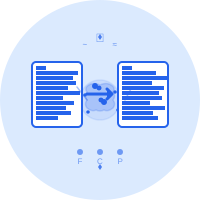

About AI Resume Bullet Point Writer
How It Works
- Enter a brief description of what you did in a role
- Optionally provide your job title and industry for targeted language
- Choose a tone that matches the role you are applying for
- The AI rewrites your notes into polished, ATS-optimized bullet points
- Copy individual bullets or all at once directly into your resume
Common Use Cases
- Transforming bare job duty notes into compelling resume entries
- Refreshing outdated resume bullets with stronger action verbs and metrics
- Tailoring bullet points for a specific industry or seniority level
- Preparing LinkedIn work experience descriptions quickly
- Coaching students or career changers to articulate their impact
Frequently Asked Questions
What is the AI Resume Bullet Point Writer?
It is an AI-powered tool that transforms brief notes about your job duties into polished, ATS-friendly resume bullet points. Each bullet starts with a strong action verb, highlights a quantifiable result, and follows best-practice resume writing structure.
Do I need to include numbers or metrics in my input?
Not necessarily — but including any numbers you remember (team size, percentage improvements, budget managed) greatly helps the AI generate more impactful bullets. If you have no metrics, the AI will still produce strong bullets that emphasize your actions and outcomes.
What is the difference between the tone options?
Professional is clear and universally appropriate. Confident uses assertive language and bold quantifiers. Technical emphasizes tools, methodologies, and technical precision. Executive focuses on strategic impact, leadership, and business outcomes — best for senior or management roles.
Are the generated bullet points ATS-friendly?
Yes. The bullets are written without graphics, tables, or special characters that confuse Applicant Tracking Systems. They use standard action-verb openings and keyword-rich language that ATS software is designed to parse.
How many bullet points can I generate at once?
You can generate between 1 and 5 bullet points per request. For a single job role on your resume, 3-5 strong bullets are typically the ideal number.
Why is it important to start bullets with action verbs?
Action verbs immediately signal to recruiters what you did and how you contributed. They make bullets scannable, energetic, and results-oriented — far more compelling than passive phrasings like "Responsible for…" or "Helped with…".
Can I use this tool for LinkedIn work experience entries?
Absolutely. The bullet points work well for LinkedIn's work experience section. You can generate more descriptive entries by selecting a slightly higher count and using the "Copy All" button to paste them directly.
Should I provide the job title when using this tool?
Providing a job title is optional but highly recommended. It helps the AI use industry-appropriate vocabulary and seniority-level language — for example, a "Junior Developer" gets different framing than a "VP of Engineering".
How do I quantify achievements if I do not have exact numbers?
Use ranges or relative comparisons: "reduced costs by ~20%", "managed a team of 5-7 engineers", "cut processing time from 2 hours to under 30 minutes". Approximations are fine and far better than omitting metrics entirely.
Can I edit the AI-generated bullets after copying them?
Yes — always review and personalize. The AI provides a strong starting point, but adding your specific numbers, company context, or unique details will make each bullet even more powerful.
What is the action verb and impact tag shown under each bullet?
These tags label the key elements of each bullet: the opening action verb and the result or impact phrase. They help you quickly evaluate whether each bullet has the essential CAR (Challenge-Action-Result) components.
Is my input data stored or used for training?
No data is stored on our servers. Inputs are sent directly to the Groq API for processing and are not retained or used to train any models.